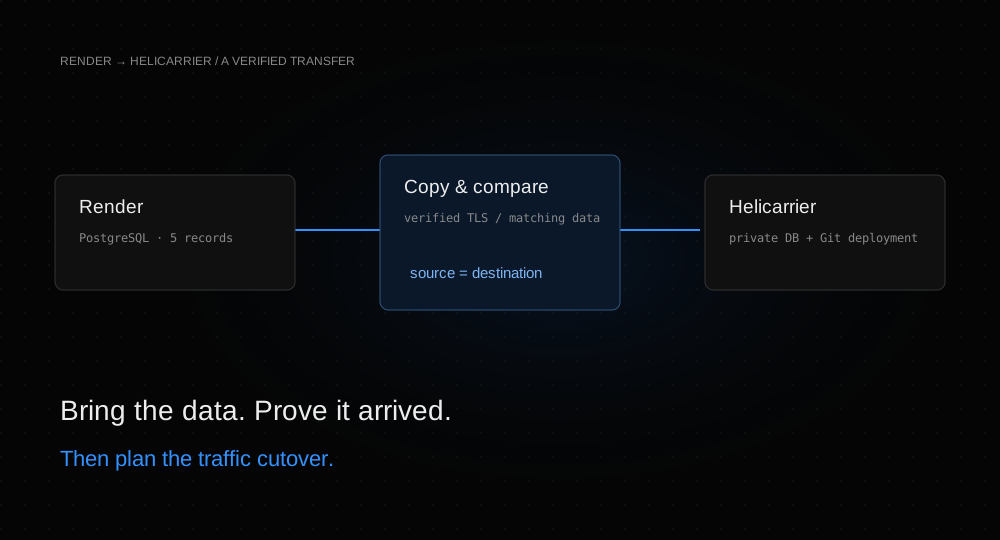
A running application is only part of a migration. Its database must arrive intact, its configuration must point to the new services, and you need a deliberate moment to move traffic. This guide takes a small Next.js application from Render to Helicarrier and verifies each of those first two boundaries.
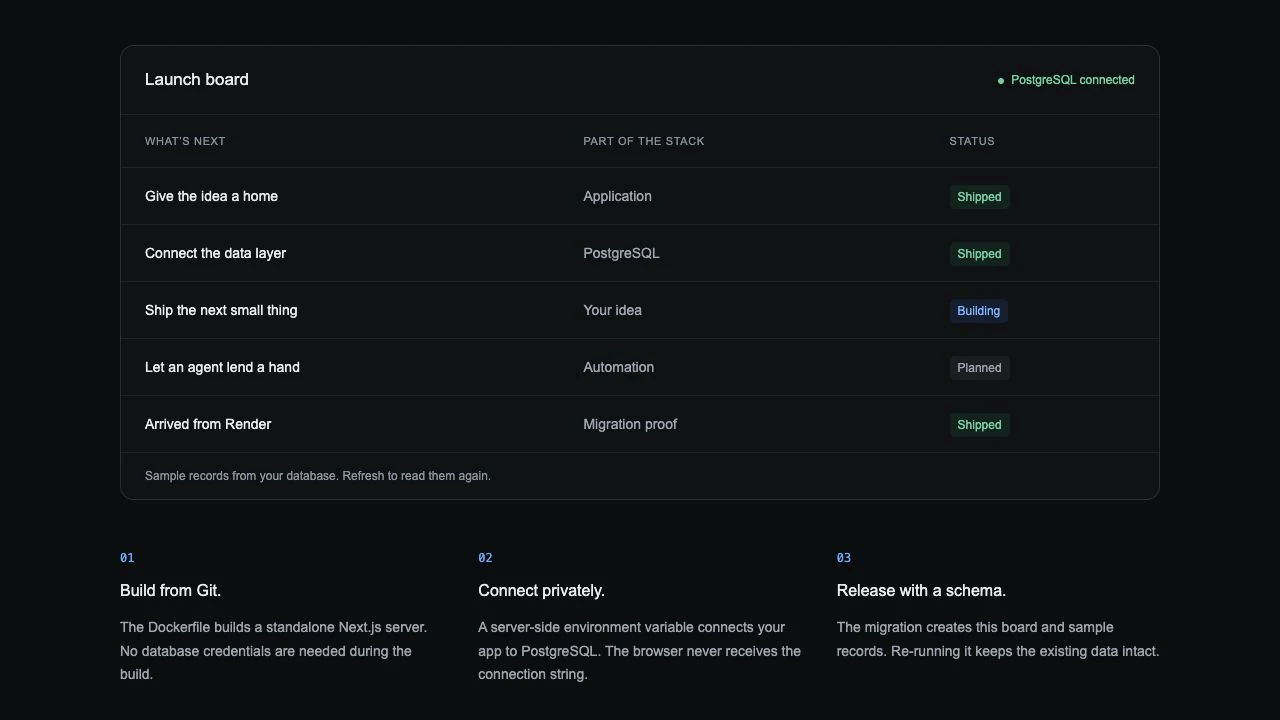
The proof is a fifth record added only to the Render database: Arrived from Render. It is absent from the repository’s seed data. When it appears on Helicarrier, alongside matching row fingerprints and the original sequence, we know we copied the existing data.
Before you start
You need permission to create a disposable app and PostgreSQL database on Render and Helicarrier, access to the source database, and a GitHub repository you can deploy. The public Next.js/PostgreSQL example is the same small launch board used in our first deployment guide. Fork it into your GitHub account or organization. Our rehearsal used commit 76f7f8f, Node.js 22, Next.js 16.4.2, and PostgreSQL 16 on both providers.
Use a fresh, empty destination database. The import writes into the selected database and can replace existing objects. Check extensions, version compatibility, storage requirements, and your backup/restore procedure before migrating an existing application. This tiny read-only sample has no background writers; a real workload needs a write-freeze or replication strategy.
We used a Free Render web service and a Free Render Postgres instance in Frankfurt. Free compute still consumes included build and bandwidth allowances, and Render limits free Postgres to one active database per workspace with a 30-day expiry. Review Render’s current free-instance limits before creating your source. Do not replace an existing database to make room for a tutorial.
On Helicarrier, we used Heli S1 for the app and Heli DB-S1 with 2 GB of storage for PostgreSQL. Their standard full-month reference prices were $3.00 and $3.50 respectively; these are not the bill for this short exercise. Check your account’s displayed prices and current pricing. Leave the destination’s external database access off.
1. Prepare a source you can recognize
If you already have a disposable Render app and database, record their current state and continue. To reproduce our example, create a project reserved for the rehearsal and a PostgreSQL 16 instance named hc-render-guide-postgres. We used database and user names launchboard. Restrict external access to the machine that will prepare the sample, then obtain the database’s external connection URL from Render.
Clone your fork and install its dependencies. Supply the external connection URL through a private environment variable named DATABASE_URL, with sslmode=verify-full enabled. Never commit it, put it in a screenshot, or paste its value into a shared terminal transcript.
npm ci
npm run db:migrate
The migration creates four fictional launch records and a migration-history table. Add one more record to the source through a PostgreSQL client connected to that same Render database:
INSERT INTO guide_launches (title, category, state)
VALUES ('Arrived from Render', 'Migration proof', 'Shipped');
Run the following query and keep its result. It should show five rows. Our fingerprint was 4a45ab9b740198d14b944eab2a5f5e2f; your result must match between your own source and destination, even if you choose different sample text.
SELECT count(*) AS rows,
  md5(string_agg(
    id::text || ':' || title || ':' || category || ':' || state,
    '|' ORDER BY id
  )) AS fingerprint
FROM guide_launches;
Create a Render Web Service from your GitHub fork. Use the repository root, the Docker runtime, the existing Dockerfile, the same region as the database, and the Free plan if available. Set PORT=3000 and set DATABASE_URL to the database’s internal Render URL. Set the health-check path to /health. Leave the Docker command override empty so the image runs node server.js.
Wait for the service to be live. Open its generated endpoint and check the fifth record; /health should return {"ok":true}. We prepared the source schema before starting the app, so this rehearsal does not depend on a paid Render pre-deploy command.
2. Create an empty destination
In your disposable Helicarrier project, choose New service → Database → PostgreSQL. Create render-guide-postgres with PostgreSQL 16 and a suitable plan. Apply any staged change and wait for the database to be active. Our default database was app; database names do not need to match the source.
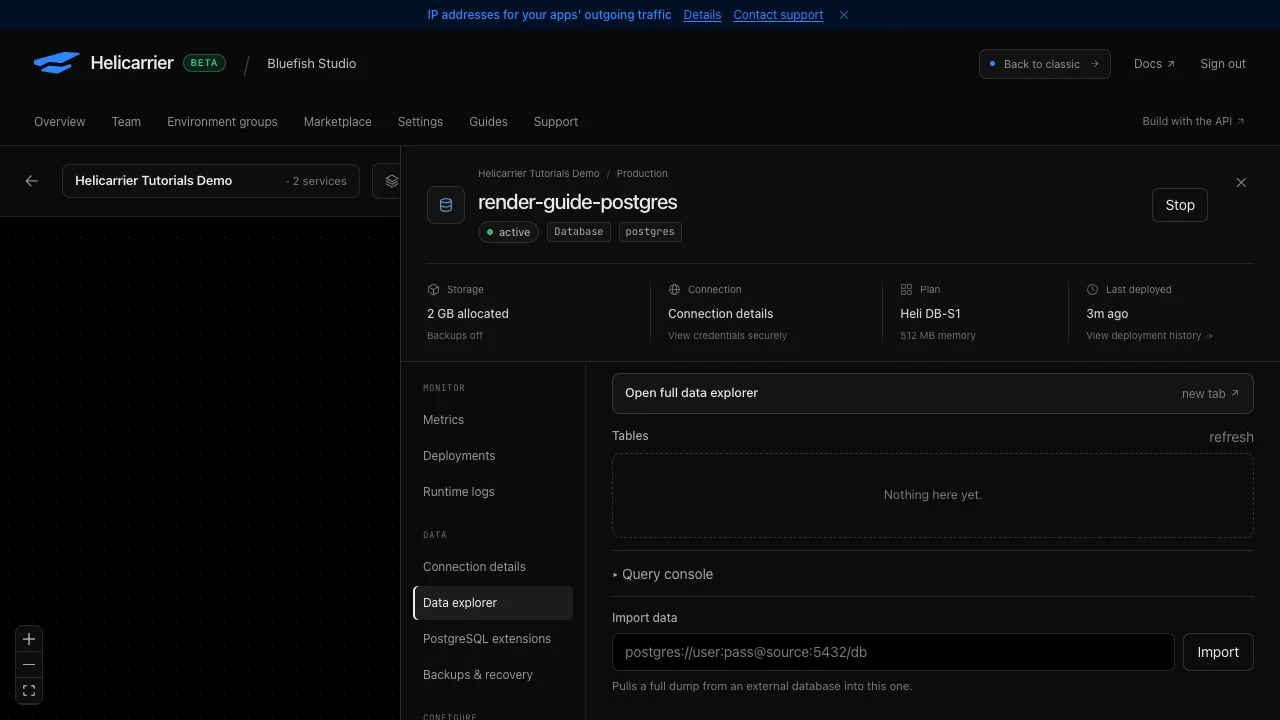
Open the service’s Data explorer. It should contain no application tables. Do not run the example’s migration here yet: the import will bring both the application table and migration history across.
3. Copy only the selected database
Allow the destination import host’s outbound IP in the source Render database’s access list. Use the actual address for your database placement; do not assume an application’s custom-domain IP or a copied example address is correct. Ask support to confirm the database import address if it is not available in your account. We used two temporary /32 rules: our preparation client and the verified Helicarrier import host. We did not open access to every IP.
Take the external Render database URL and add these connection options, preserving any existing query parameters:
sslmode=verify-full&sslrootcert=systemverify-full checks the certificate chain and hostname. sslrootcert=system tells the PostgreSQL client to use its system certificate authorities. This combination worked in the live import; omitting the trust-store option initially failed because no user-specific root certificate file existed. See the PostgreSQL connection documentation.
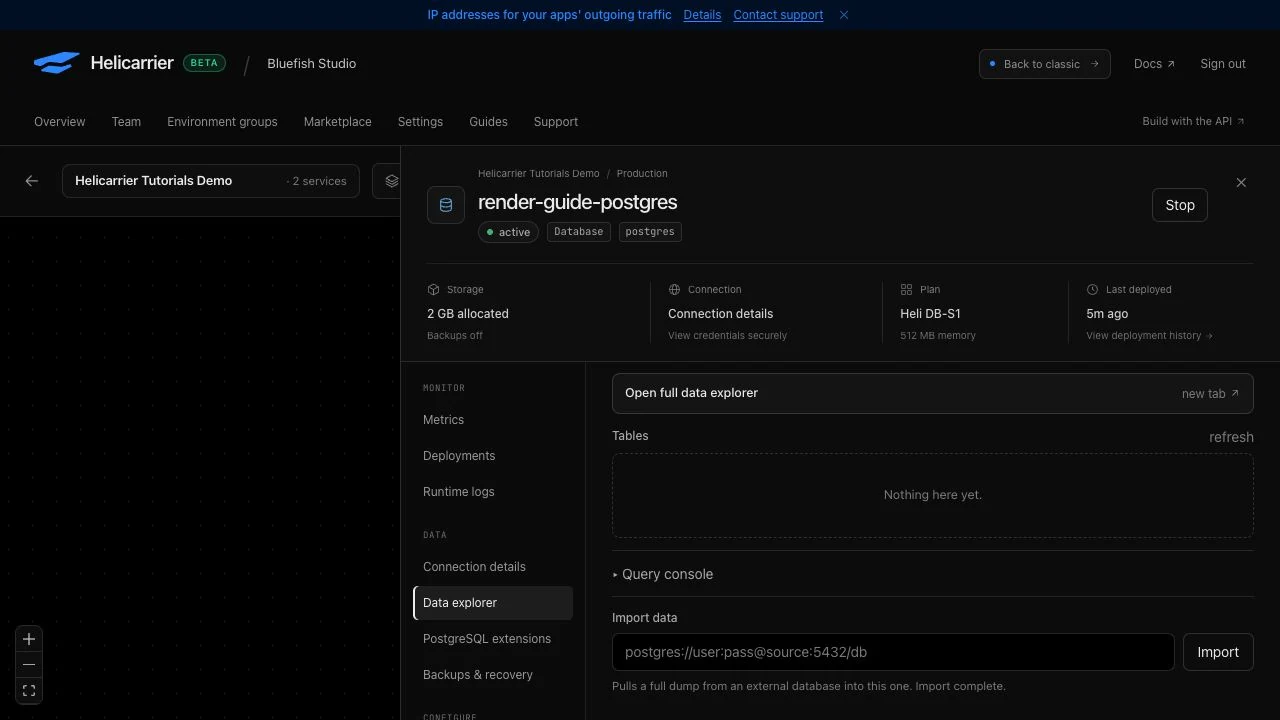
In the destination’s Data explorer → Import data, paste this source URL and select Import. The field in the tested interface displays the URL as text, so keep the screen private while entering it. Wait for Import complete. The field clears on success. Refresh the table list afterward.
This database-specific import does not pause your source application or coordinate its writers. Our source contains only fictional read-only sample data. For a real final copy, first carry out the write-freeze plan in the cutover section.
4. Compare the data, not just the status
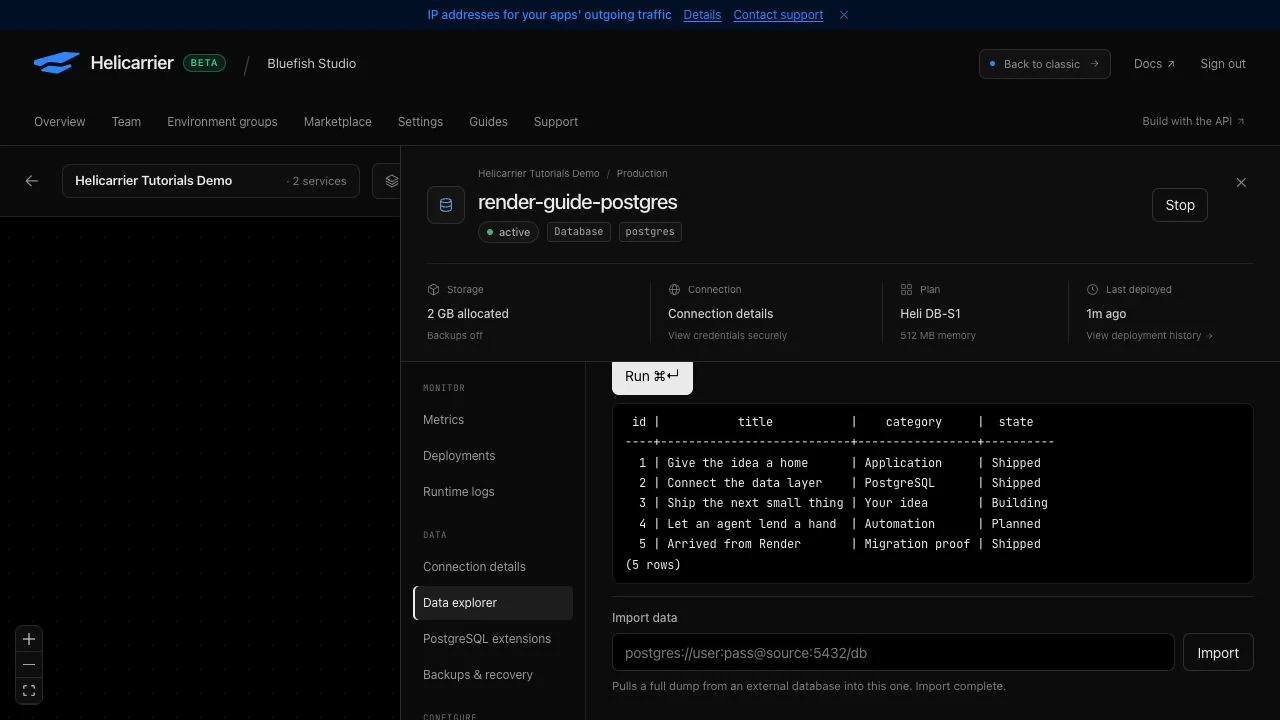
Open Query console in the destination and run:
SELECT id, title, category, state
FROM guide_launches ORDER BY id;
Check every ID, title, category, and status. Row 5 should read Arrived from Render / Migration proof / Shipped. Run the fingerprint query from step 1 again. Our source and destination both returned five rows and exactly the same fingerprint.
Also verify the migration history, sequence, and constraints. For this particular example:
SELECT count(*) FROM guide_migrations;
SELECT last_value FROM guide_launches_id_seq;
SELECT max(id) FROM guide_launches;
SELECT conname, contype FROM pg_constraint
WHERE conrelid = 'guide_launches'::regclass;
We observed one migration-history record, sequence value 5, maximum ID 5, and two constraints. For your application, inspect extension availability, ownership expectations, indexes, sequences, representative data, and application reads and writes. A fingerprint over five sample rows is useful evidence for this exercise; it is not a full production data-integrity audit.
5. Deploy the same application against its new database
Create a Helicarrier GitHub repository service named render-guide-web from the same fork and commit. Use the repository root and its Dockerfile, port 3000, and a suitable compute plan. The Dockerfile handles installation, the build, and the start command. Follow the Git deployment walkthrough if this is your first service.
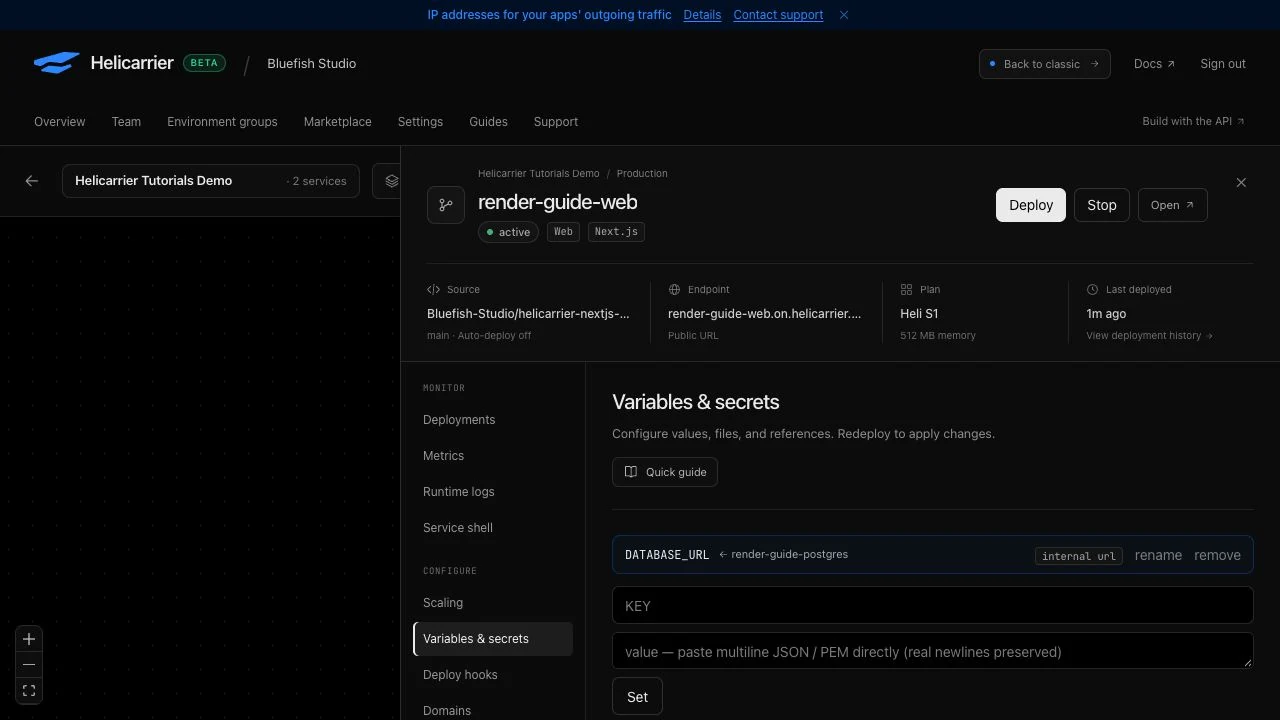
In Variables & secrets, add a service reference from render-guide-postgres: choose its internal URL and name the variable DATABASE_URL. Remove any literal value that still points at Render. Deploy after the reference is set.
Wait for an active deployment, open the generated Helicarrier endpoint, and verify the same fifth record. Check /health as well. Our deployment built the same 76f7f8f source commit and returned {"ok":true}. The Render application remained healthy while we validated the destination.
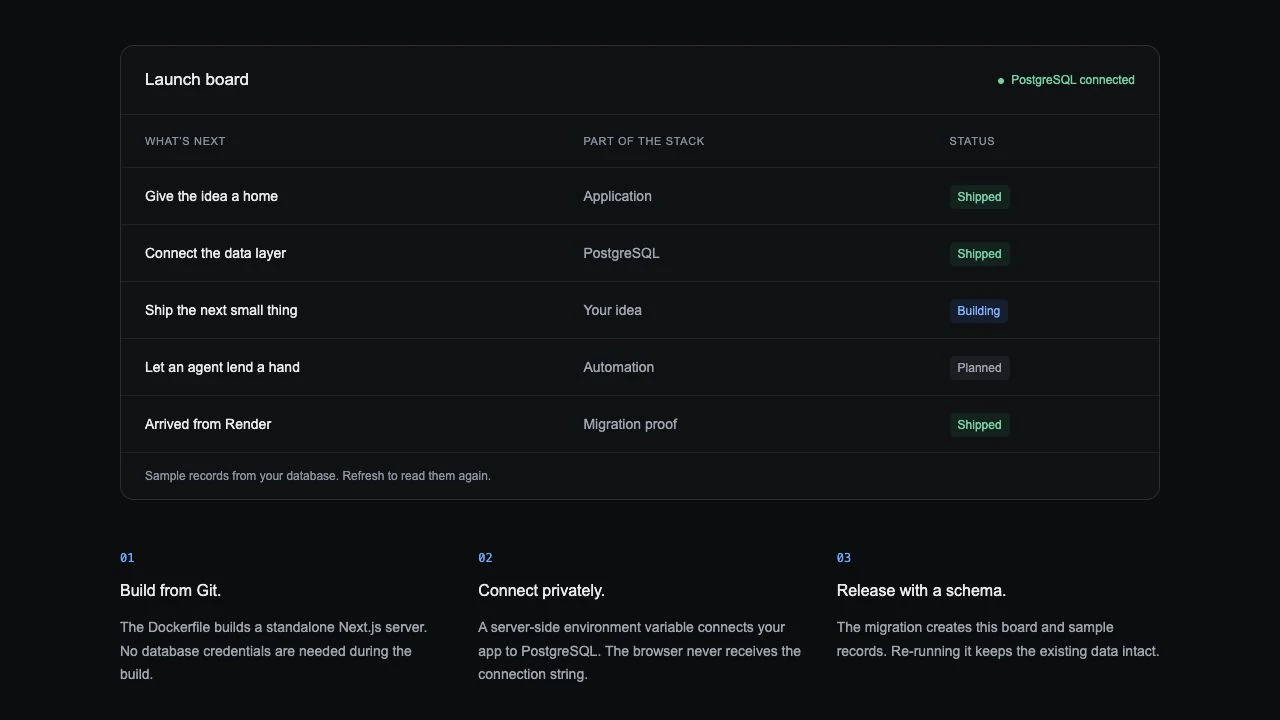
For future schema changes, configure your normal release migration procedure. Do not run a destructive reset or fresh seed over migrated data. This first destination deployment used the schema and migration history already copied from Render.
6. Plan a real traffic cutover separately
The live rehearsal ends at a working generated endpoint. Moving a production domain adds decisions that this five-row test cannot answer for you:
- Preserve a verified fallback. Take and test an independent backup before the final transfer. Record the source state and the intended recovery procedure. Do not rely only on an import success message.
- Control every writer. Pause writes from web requests, workers, scheduled jobs, and integrations before the final snapshot. Keep destination writers stopped until validation finishes. A dump is a snapshot, not continuous replication.
- Validate the final copy. Compare data and schema, then exercise the application, authentication, uploads, jobs, and outbound integrations. Measure the transfer with a representative dataset to plan the maintenance window.
- Move traffic deliberately. Add your domain and follow Helicarrier’s DNS and TLS instructions. Plan for cached DNS. Avoid allowing both old and new apps to accept divergent writes during the transition.
- Define the rollback boundary. Before any destination writes, returning traffic to an unchanged source may be straightforward. After new writes, going back requires a data-reconciliation plan. Changing DNS alone does not move those writes back.
Keep the source available until you have met your acceptance criteria. This rehearsal establishes a working transfer path, not a zero-downtime guarantee.
Inspect the result with your coding agent
With an authorized Helicarrier MCP connection, you can ask an agent to verify the selected destination without handing it the Render account key:
In my disposable project, inspect render-guide-postgres and
render-guide-web. Check their status, the DATABASE_URL reference,
and the five rows in guide_launches. Confirm the migration-history
count and sequence value. Do not change data, deploy, or delete anything.
Do not print connection strings or credentials.
We used customer MCP tools for resource setup and independent SQL checks, and the live dashboard for the database import. Authorize write actions separately and keep the target project, environment, and service explicit.
If a step fails
| Symptom | Next check |
|---|---|
| Missing root certificate file | Use sslmode=verify-full&sslrootcert=system for the import client. Do not disable certificate verification to hide the error. |
| Connection timeout or source access denied | Use the external Render URL, check the source is available, and allow the actual import host’s outbound IP. A Render internal hostname is not reachable from Helicarrier. |
| No tables after success | Select refresh, then query the expected table. The table list does not automatically refresh when import finishes. |
| Only four records appear | Check whether you seeded a fresh database instead of copying the source, selected the wrong database, or left the app pointing at another URL. |
| A query is interrupted during first deployment | Wait for the database and app to be active, then retry the read-only query. Our first app deployment restarted the database once to make its private connection reachable from another node. |
| Import fails or counts differ | Keep writers stopped and investigate. Imports are not an atomic whole-database replacement; do not assume failure rolls back partial changes. Rehearse again with a fresh destination before proceeding. |
Remove only the rehearsal resources
After you have recorded the result, delete the disposable app and database on both providers, then remove the empty Render tutorial project. Check that the services are absent from both inventories. Remove any temporary access rules that remain on retained resources and revoke temporary provider tokens when they are no longer needed.
Our Render demo project, web service, and database were removed. The Helicarrier tutorial project returned to zero services and zero references. Its unrelated projects and the pre-existing Render applications were left untouched.
Continue with the provider migration reference, the PostgreSQL recovery rehearsal, or the PostgreSQL product guide.