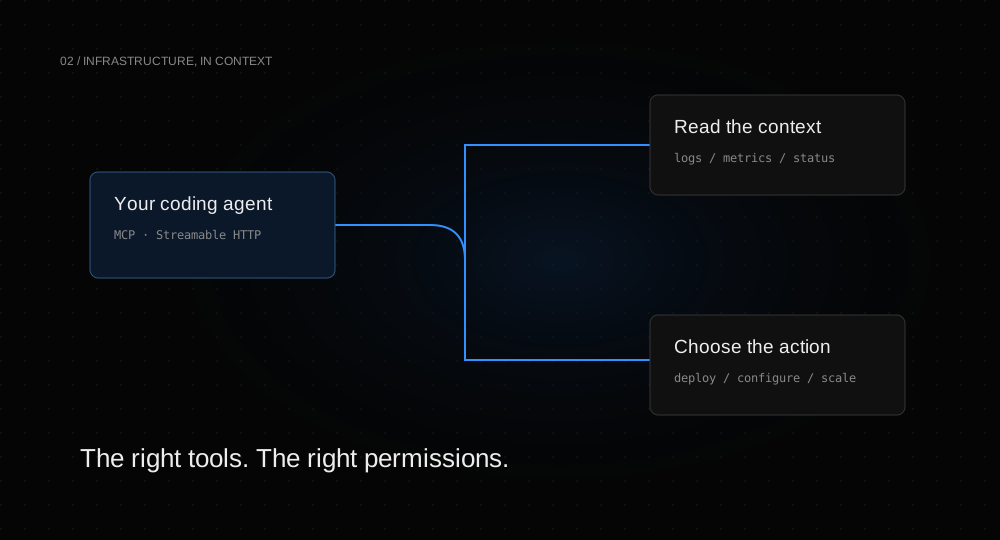
A coding agent is more useful when it can see the environment where code runs. Logs, current deployments, service configuration, and resource usage answer questions that a repository alone cannot. The important choice is how much of that environment the agent should be able to change.
Start with the job, then choose the key.
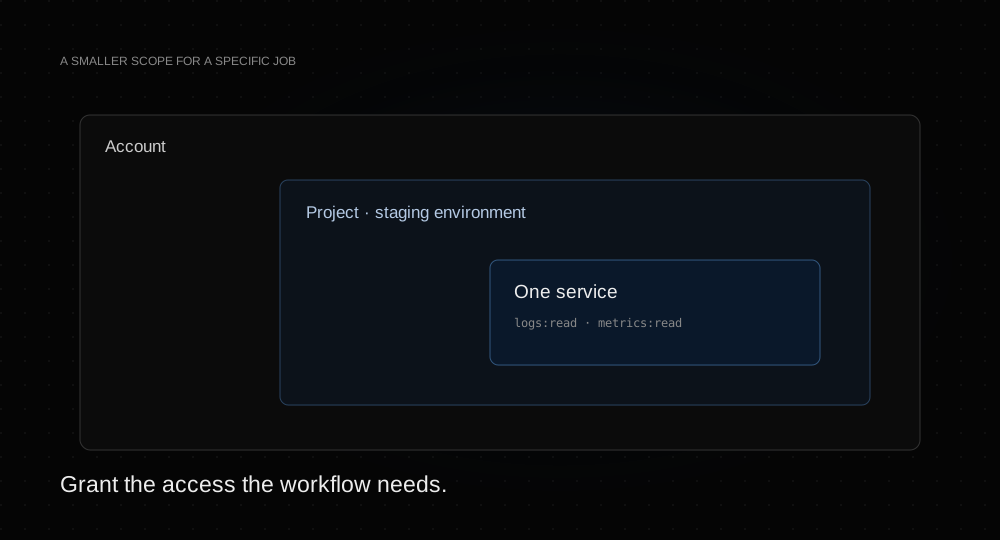
Helicarrier offers three API-key scopes. An account key covers the resources its owner can access. A project key narrows that to one project, with optional environment restrictions. A service key narrows access further to one service.
For an agent investigating a single application, a service key with read permissions for logs, metrics, deployments, and settings is often enough. For an agent coordinating multiple services in staging, use a project key restricted to that environment. Add write permissions only for the operations the workflow needs.
Connect the hosted MCP server.
Create the key in the relevant dashboard panel, copy it when it is shown, and store it securely. The hosted endpoint is https://app.helicarrier.xyz/mcp. A compatible remote HTTP client can use the following configuration shape:
{
  "mcpServers": {
    "helicarrier": {
      "url": "https://app.helicarrier.xyz/mcp",
      "headers": {
        "Authorization": "Bearer YOUR_API_KEY"
      }
    }
  }
}
Use your client’s supported secret mechanism rather than committing a real key. Clients that support the platform’s OAuth flow can connect through an interactive authorization instead. See the MCP connection guide for both paths.
Make identity the first call.
Ask the agent to call whoami before it explores. The result identifies the scope and permissions of the current key. This matters because a service key cannot list your entire account to discover its own service.
For a project key, list the project’s environments and request the right one explicitly. get_project returns services for one environment at a time. If the key is environment-restricted, creation and upload operations need the environment supplied too.
Use a read-first workflow.
A good initial request is: “Inspect this service’s latest deployment and logs. Explain the failure and suggest a change before deploying anything.” The agent can read context, identify a likely cause, and propose a next action while the key itself prevents mutation.
When you grant deployment access, keep the action explicit: choose the service, environment, and ref; trigger the deployment; follow its logs; then check the result. Mutation tools include destructive-action annotations for clients that use them, but client behavior is not a substitute for the key’s scope.
Plan the end of the workflow.
Revoke a temporary key when the investigation or migration is finished. A revoked key stops authorizing new requests. If a key is exposed, replace it and update the client configuration.
The same key can authenticate REST calls, which makes it straightforward to move a repeatable workflow into CI. Start with the API guide, and use the tool reference when you need exact names and inputs.