Heli KV-N
256 MB memory
$2/ month
- Memory
- $2/mo
- Pricing basis
- Memory
Managed Redis
Add Redis for caches, sessions, and background jobs. Connect your application and workers privately, inspect keys, and choose memory for the workload.
REDIS_URLREDIS_URLMore than a cache
Choose the behavior your application needs. Expiring sessions, rebuildable caches, and queued work have different recovery requirements.
Keep frequently requested values close to your application. Set expiration deliberately and know how to rebuild the cache from its source.
Give application instances a shared place for session data. Choose expiration and recovery behavior that fit your sign-in flow.
Connect web services and workers to the same Redis service. Use your job library’s retries and idempotency controls for failed or repeated work.
Connect inside the project
Use a REDIS_URL service reference for each application or worker that needs access. Helicarrier resolves the connection value on deployment, so the password does not belong in your Git repository.
External access starts disabled. Keep it that way when only your Helicarrier services need the database.
If an outside client needs access, review the external connection, supported source IP controls, and TLS settings. Configure clients to reconnect after planned restarts.
Review connection settingsMatch the server to the client
The current catalog offers Redis 8, 7, and 6, with 8 selected by default. Check your client library and required commands against the version you choose.
An existing older service does not gain newer commands just because they are available in the catalog. Review compatibility and recovery before an upgrade.
See provisioning detailsChoose your capacity
Pick the memory your workload needs. These are the standard Redis plans; the full allocation also has to accommodate Redis overhead.
Standard USD rates. Confirm your account’s current rates in the dashboard.
256 MB memory
$2/ month
512 MB memory
$3/ month
1 GB memory
$6/ month
2 GB memory
$12/ month
The current Redis plans do not offer the daily-backup add-on. Monthly rates describe a full month of service, before any applicable fees or taxes. Your account’s current prices appear in the dashboard. How billing works
A working example
Deploy a Node.js worker, connect private Redis, and watch a failed report retry. The walkthrough includes a GitHub example, real screenshots, and checks that go beyond a healthy HTTP response.
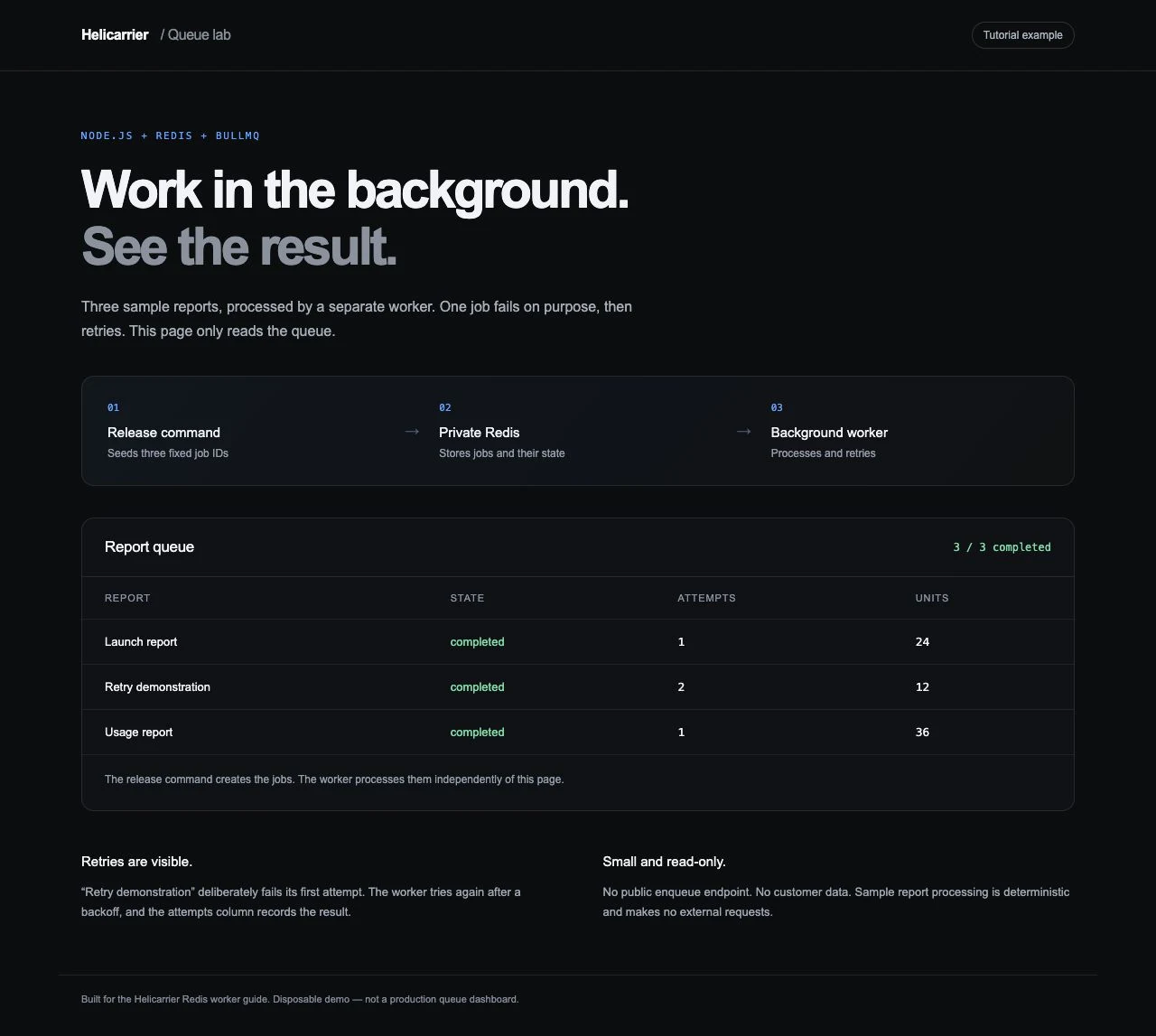
Actual results from the disposable tutorial stack. All three services were removed after verification.
Operate with context
Inspect key expiration and memory usage in the database’s data tools and metrics. Leave capacity for Redis overhead and workload peaks; process memory is not the same as usable key capacity.
Review what should happen when memory is tight. The behavior your cache needs may differ from the behavior your queue needs.
The current Redis plans do not offer the daily-backup add-on used by relational plans. The live database restore workflow also does not currently support Redis.
Keep a recovery strategy for sessions and queued work. An on-demand snapshot alone is not proof that the full recovery path works.
Read the backup limitationsYour tools, with the right context
Use customer MCP tools to inspect service state and deployment context. Restrict access to the project, environment, and operations the work needs; make changes deliberate.
Good questions
No. Your Helicarrier services can use the internal connection through a service reference.
Yes. The database’s data tools include Redis key browsing. Review key expiration and memory use as your workload grows.
No daily-backup add-on is offered on the current KV plans. Review the engine-specific backup and restore limitations when designing recovery.
Change the service’s plan from its settings and review the new rate before applying it. Plan changes and upgrades can restart the database; configure clients to reconnect and test how your workload behaves.
Keep building
Ready when you are
Bring your code. Give your next idea a home on Helicarrier Cloud.